 Home
Everything you type, in one place
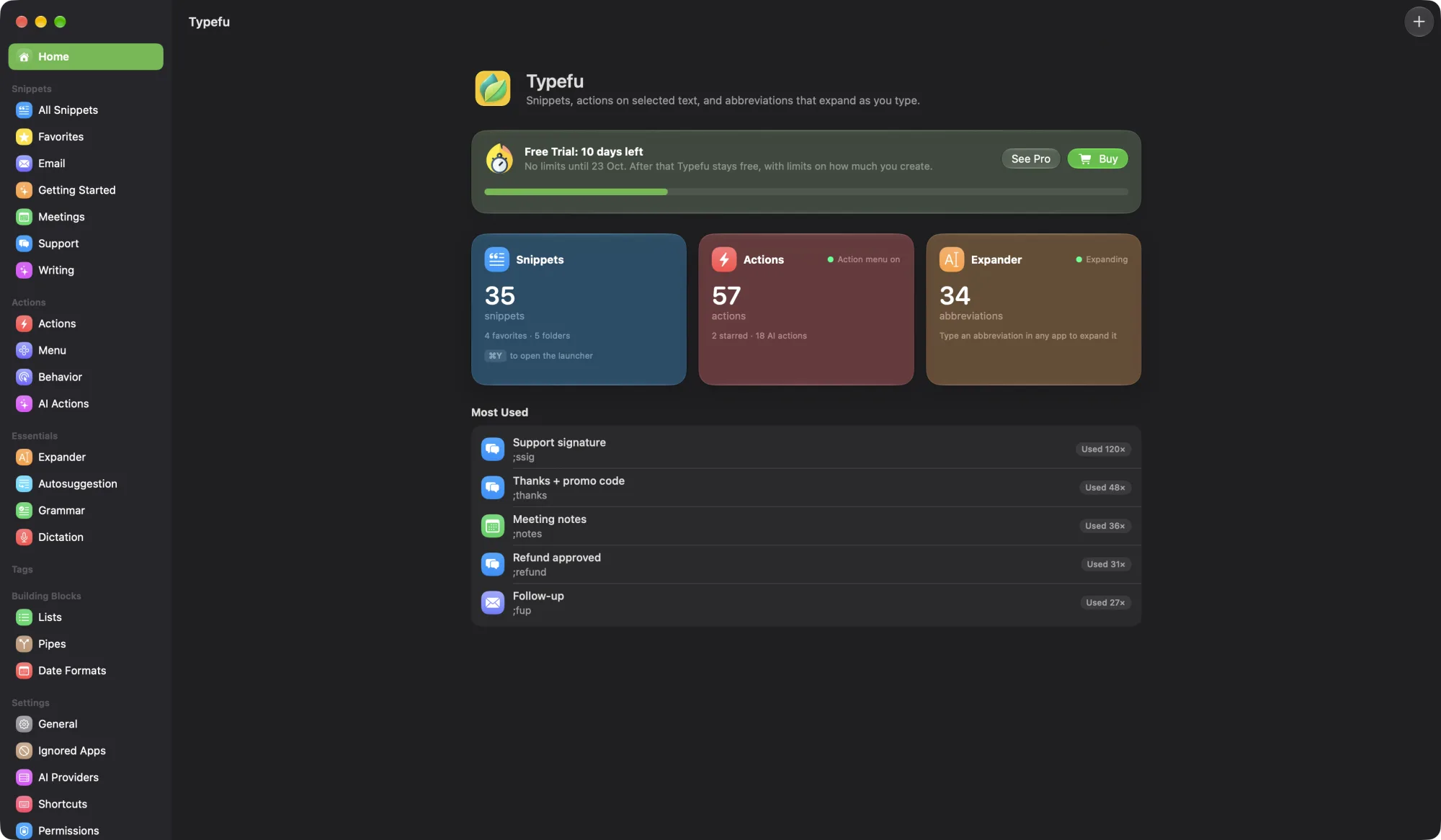
See your snippets, actions and abbreviations at a glance, with the ones you use most right at the top.
Most used first
Your go-to snippets sit on the home screen with how often you use them.
Organized your way
Group snippets into folders, star favorites and add tags.

Snippets with fill-in fields
Add a date, a name or a toggle to any snippet. Type its abbreviation, fill in the blanks and Typefu inserts the result.
Expands as you type
Type ;thanks in any app, fill in the name and Typefu inserts the reply with the next promo code.
Snippets inside snippets
Reuse your signature or any other snippet as a building block.


21 tokens for smarter snippets
Click Insert Token in the editor to add one, so you never have to remember the syntax.
Fields show up in a small form, so you fill them in as you insert the snippet.
Text
A name, a link or any short answer
{text name="Name"}Multiline Text
A longer note over several lines
{text name="Notes" multiline}Choice
Pick one option. Show one label, insert another value
{choice name="Status" options="Open=OPN, Closed=CLS"}Multiple Choice
Pick several options, joined with a separator
{multi name="Tags" options="Bug, Feature"}From a List
Pick from a list you saved once and reuse everywhere
{list name="Countries"}Date Picker
Pick a date and insert it in any format
{date name="Due" format="d MMMM yyyy"}Number
A number, with an optional minimum and maximum
{number name="Quantity" min=1}Toggle
Turn a sentence on or off, or insert other text when off
{toggle name="Signature" text="Best regards"}
Add default, placeholder or required to any field. Conditions support ==, !=, contains, startsWith, endsWith, in, and number comparisons, combined with and, or and not.
 Autosuggestion
It finishes your sentence
Pause after a word and Typefu suggests the next few words in grey, right after the caret. Press Tab to insert them or Esc to dismiss. Works in any app.
Fast and private
Download a local model and suggestions run on your Mac, so your text stays there. Or use your own AI provider.
Sounds like you
Add a few words about you and how you write, like "Product designer. Casual, short messages."


To: Alex
Subject: Quick question
Typing “Hi Alex, thanks for the quick” shows the suggestion “reply, that helps a lot.” in grey. Press Tab to insert it.
A menu for selected text
Select text in any app and a menu shows up right next to it. Copy, search, translate, fix spelling or run AI on the selection.
AI on the selection
Proofread or rewrite what you selected with presets that run on your Mac.
Make it yours
Pick which actions show in the menu, how they look and which shortcut runs them.
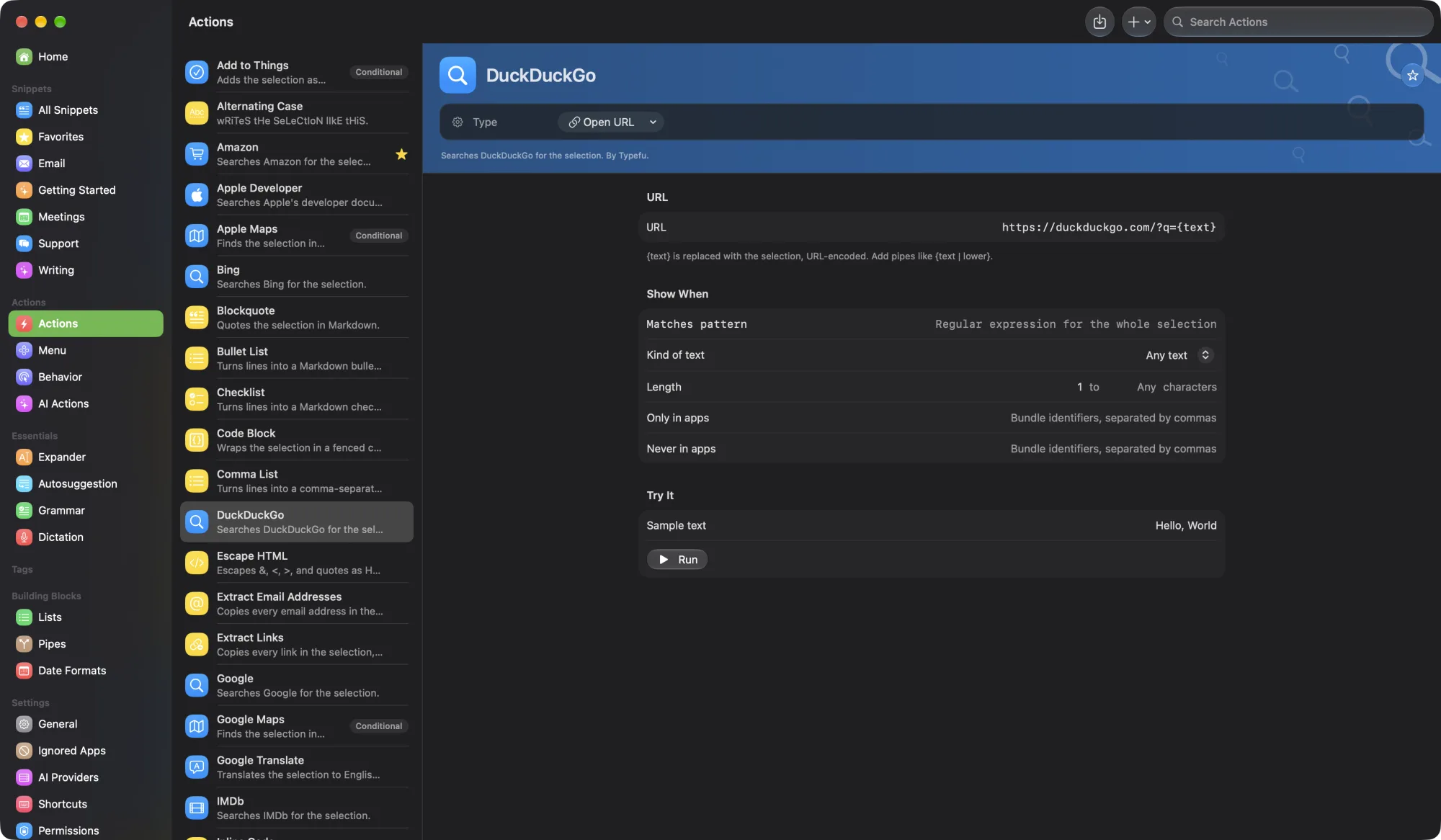
More than 50 ready-made actions
Search the web, format Markdown, extract links or add the selection to Things. Or build your own from a URL, a script or a Shortcut.
Shows when it fits
Limit an action to a pattern, a kind of text, a length or certain apps.
Try it before you use it
Run an action on sample text right in the editor.

Snippets with Fill-in Fields
Add a name, a date or a choice to any snippet. Fill it in a small form near the caret and Typefu inserts the result
Abbreviations and Launcher
Type ;sig to insert your signature, or press ⌃⌥Space to search every snippet
Actions on Selected Text
Select text and a menu shows up next to it: search, translate, change case, add to Calendar, Reminders and Contacts
AI on Your Mac
Proofread, rewrite, summarize and reply with presets that run on device. Free, private and offline
Autosuggestion
Pause after a word to see the next few words in grey. Tab inserts them, Esc dismisses
Grammar Check
Spelling, grammar and style problems are underlined. Fix them one by one or all at once. English, checked on device
Clipboard History
Text you copy with Typefu stays in a searchable history. Press a shortcut to paste an earlier copy

Use Each Code Once
Keep promo codes in a list. Each snippet takes the next unused one, so you never send the same code twice
Your Own Actions
Build actions from a URL, a shell script, AppleScript, JavaScript or a Shortcut, or start from more than 50 ready-made ones
Dictation
Hold a shortcut and speak. Typefu transcribes on your Mac and inserts the text at the caret
Stays on Your Mac
Snippets, lists and actions live in a local database. No tracking, no account
Simple pricing
Choose the version that fits how you work.
Typefu
Try everything for 14 days, then keep using it with free limits
- Every feature unlocked for the first 14 days
- Fill-in snippets, built-in AI presets and the selection bar
- 20 snippets, 3 lists, and 3 of your own AI actions and actions after the trial
- Requires macOS 26 or later
Typefu Pro
One-time purchase, no subscription
- Unlimited snippets and lists
- Unlimited AI actions and actions of your own
- Automatic updates via Sparkle
- License key delivered with your Gumroad receipt
- Requires macOS 26 or later