Mac 2.22.3
LatestPlain Text Everywhere
Auto Plain Text now pastes only plain text everywhere, including Microsoft Word.
Always Running
PastePal keeps running when macOS frees up disk space.
Cleaner Preview
A cleaner preview top bar.
Tidier Gear Menu
Clean Up History in the gear menu now matches the rest of the menu.
Mac 2.22.2
Windows Come Forward
Settings and the main window now reliably come to the front, even when another app is active.
Faster Rich Text
Rich text copied from web pages and documents is captured much faster and uses less of your Mac's resources.
More Reliable History
Clipboard history stays more reliable when many clips arrive at once.
Safer Empty Trash
Empty Trash in the sidebar now asks before clearing, so nothing is removed by accident.
Fresh Sidebar Icons
New icons for Home, Assist, Settings and Rich Text in the sidebar.
Mac 2.22.1
Save as Text
Detected sensitive content can now be kept as a regular text clip, and this is the new default. Turning on a detection rule keeps every copy in history; a toast still tells you what was detected, and the concealed marker and clear after a delay options still apply. Pick Ignore or Save as Secret in Ignore settings when you want more.
iPhone & iPad 2.17.0
Secret Clips
Secret clips show a masked preview and reveal or copy only after Face ID, Touch ID or your passcode. Convert any text clip to a Secret from its context menu, and find them with the Secret filter in search, the overview and the sidebar.
Peer Share
Send clips to nearby Macs, iPhones and iPads over Wi-Fi, with no account or cloud involved. Received text goes to your history and files to a folder you choose. Available on iOS 27.
Screenshots
Screenshots copied on your Mac are listed under Screenshots in the sidebar, and show up in the keyboard and Messages extensions.
Overview Tiles
Overview type tiles have a fresh card look with even row heights, and secrets stay out of multi-item copy and paste.
Extensions
The keyboard and Messages extensions read your clips more reliably.
Mac 2.22.0
Secret Detection
Copied secrets are detected as you copy them. Pick what to watch for in Ignore settings: cloud and AI provider keys, source control tokens, payment keys, private keys, database URLs, config secrets and payment cards.
Secret Clips
Keep a detected secret as a Secret clip with a masked preview that reveals, copies and pastes only after Touch ID, or convert any text clip to a Secret from its context menu.
Conceal And Clear
Mark a detected secret as concealed on the clipboard and clear it after a delay you choose. Secrets stay out of multi-item copy and paste.
Screenshots
Copied screenshots and screen recordings are marked as screenshots, listed under Screenshots in the sidebar with a badge in the side window, and can be cleared in one go.
Side Window Filter
Filter the side window history by type, collection, app, date range, pinned, locked and screenshots from the History button, with a filter icon while one is active.
Remove All By Type
Remove all clips of a type from its row in the sidebar, with a confirmation first.
Window Focus
The main window takes focus the first time it opens from the shortcut or a side window click, and short confirmations appear in a toast at the bottom of the screen.
Menu Icons And Glass
Menu items show icons on macOS 27 in the clip context menu and the side window gear menu, and settings dropdowns use Liquid Glass on macOS 26.
Mac 2.21.10
Peer Share
Send text, files and clips to your nearby Macs, iPhones and iPads over Wi-Fi, with no account or cloud involved. Available on macOS 27.
Consistent Preview Top Bar
Every preview has the same top bar with Close, Share and the actions for that clip type, and link previews switch device sizes from a menu there.
Richer Image Previews
Zoom with a pinch or a double-click, open image clips in Preview or Finder, and see the dimensions and file size.
Previews For Every Clip
Text previews show character, word and line counts, color clips copy as HEX, RGB or HSL, emoji clips show the name and skin tones, and multiple files get hover actions with a Finder footer.
Text Size Setting
Set the text size for clip text in the list, previews and editor from a slider under Display settings.
Troubleshooting
A Troubleshooting section in Support settings opens the storage folder with one click.
Smoother Scrolling
The list scrolls more smoothly, since rows reload only when they change and file clips resolve off the main thread.
Mac 2.21.9
Smoother Queue Mode
Pasting from the queue moves through your items in order.
Text After Each Item
Add text after every item pasted from the queue, set under Queue settings.
Side Window Placement
The side window slides its content inside its own screen and can be resized vertically.
Images Paste Everywhere
Pasted images match the format the receiving app asks for, so more apps accept them.
More Reliable Shortcuts
The main window shortcut closes the window when pressed right after it opens, and paused clips stay out of history.
Mac 2.21.8
Lighter on Memory
PastePal uses much less memory, even with lots of images in your history.
Faster Image Capture
Copied images save faster, and text recognition runs after they're saved.
Toggle the Main Window
The main window shortcut now opens and closes the window.
Faster MCP Search
MCP search is faster and supports case-sensitive matching.
New Sidebar Icon
A fresh sidebar icon.
Mac 2.21.7
Smarter Clip Filters for AI
AI assistants can now find clips by type, source app, pinned or locked state, collection, device and trash, with sorting and plain dates.
Apps and Clip Stats
New MCP tools let your assistant list your source apps and get a quick overview of your clipboard history.
Better MCP Compatibility
Clients like Claude Desktop now read your clips and collections more reliably.
Undo Support
Quickly undo recent changes to your clips and collections.
Confirm Before Closing
Get a confirmation prompt before closing the edit view with unsaved changes, so nothing is lost by accident.
Mac 2.21.6
Editable Collections
Reorder and rename your collections directly from the sidebar for faster organization.
More Text Transforms
Enjoy more transform options to reshape your copied text exactly how you need it.
Smarter Clip Selection
Selecting the right collection for your clips is now quicker and more intuitive.
Enhanced Stability
Clipboard items are now credited to the correct app and no longer get lost when you delete and recopy them.
Mac 2.21.5
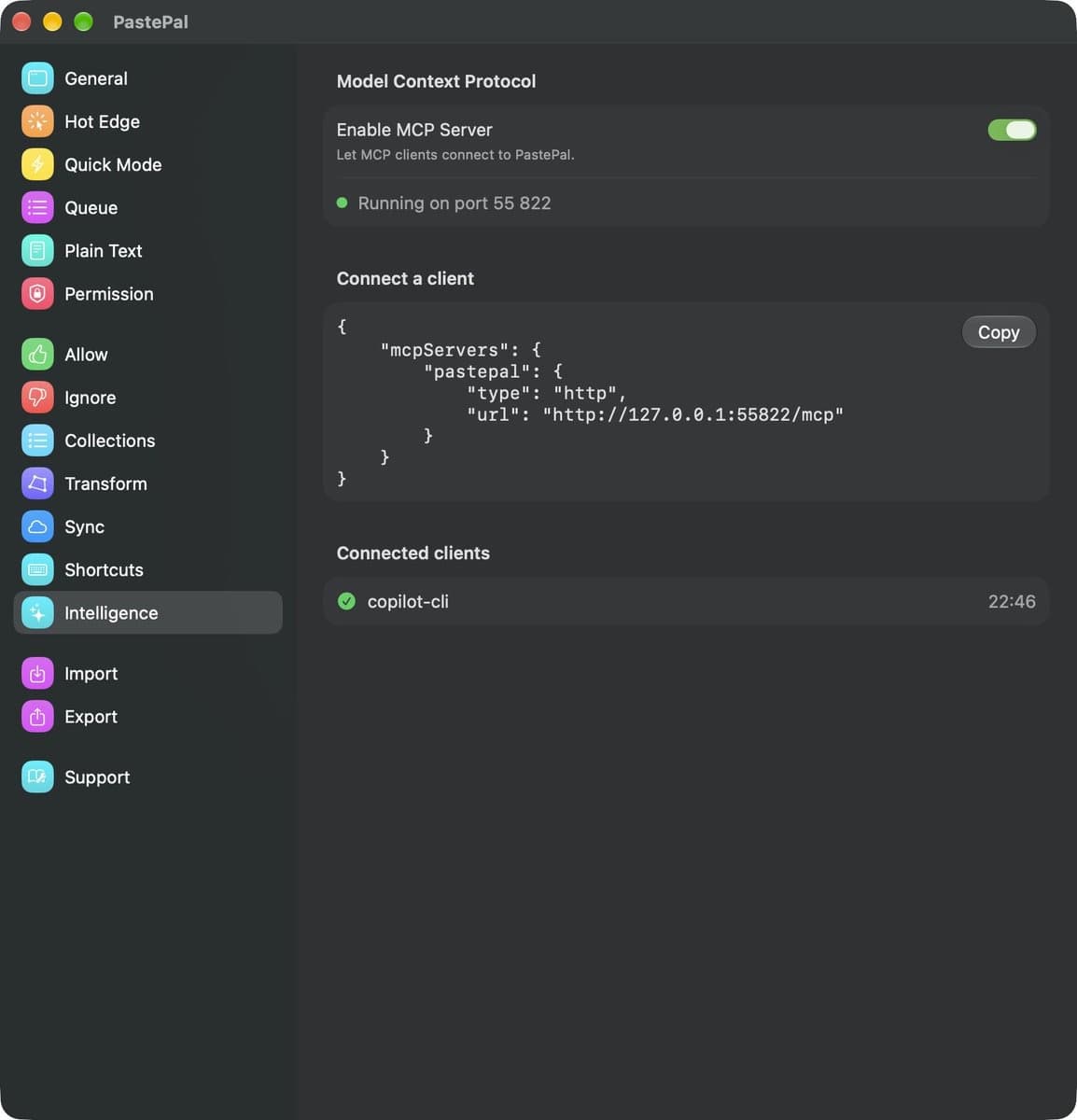
AI Assistant Support
It added MCP support, letting AI assistants like Claude Desktop connect to PastePal.
iPhone & iPad 2.16.1
Improved Keyboard Extension View
Improved the keyboard extension view.
Mac 2.21.4
New Icons
Choose from more icons for your collections.
Refreshed Buttons
Enjoy refreshed glass-style buttons throughout the app.
Click Outside Option
Add an option to control whether clicking outside closes the window.
Faster Side Window
Enjoy improved side window loading.
Mac 2.21.2
macOS 27 Golden Gate Support
PastePal is fully compatible with macOS 27 Golden Gate, so you're ready for the latest release.
Character Count in Footer
Clips now show a character or line count at a glance, so you know the size of what you're about to paste.
Search Clears with Side Window
A new setting lets search text clear automatically when you toggle the side window, keeping your next search fresh.
Smoother Side Window Toggling
Toggling the side window is more consistent and reliable.
Mac 2.21.1
Clear History Shortcut
A keyboard shortcut now cleans up your entire clipboard history at once, without opening any menus.
Custom Separator for Multiple Items
Choose how multiple clips are joined when you copy or paste them together, so combined text arrives formatted the way you expect.
Clip Background Presets
Ready-made background presets let you personalize how clips look at a glance.
Search Stays Put
Your search text and results are preserved when the side window is closed and reopened, so you can pick up exactly where you left off.
Smarter Selection with Pinned Clips
Selection now lands on your newest unpinned clip instead of the top row, so pinned items no longer get in the way.
Reorganized Settings
A dedicated Behavior section groups related options together, making preferences easier to navigate.
Refined Detail View
The detail view renders cleanly on the latest macOS, without the stray bar along the top edge.
Refreshed Translations
Translations across 36 languages have been updated, including names for all built-in text transforms.
More Reliable Image Clips
Copied images are captured more consistently, and overall stability has improved.
Mac 2.20.5
App Icon in Compact View
Source app icons now appear in compact clipboard cells, making it easier to identify where each item came from at a glance.
QR Code Viewer
Clipboard text can now be viewed as a QR code directly from the item detail, making it easy to share content with nearby devices.
CJK Input Support
Chinese, Japanese, and Korean input methods now work correctly when activating search mode.
Reliable Save Confirmation
The saved toast now appears correctly on startup when clipboard items were detected before the app fully launched.
Window Stays on Screen
Movable windows now respect the menu bar and stay within screen bounds for a more consistent experience.
Mac 2.20.4
Clean URL Sharing
Tracking parameters are automatically stripped from URLs when you copy them, keeping your links clean and private.
Search Across Collections
The All tab now includes items from your collections, so search returns more complete results in one place.
macOS 26 Ready
Keyboard shortcuts work reliably on macOS 26, with improved stability throughout the app.
Smarter Text Recognition
Text recognition uses an improved detection method for more accurate results.
Mac 2.20.1
Reliable iCloud Startup
App starts smoothly even with iCloud sync enabled and a large clipboard history.
Stable Side Window
The side window no longer unexpectedly appears during Space transitions.
Better Image Display
Images in clipboard cards now scale and center correctly for a cleaner look.
Enhanced Link Previews
Link previews load more reliably across your clipboard history.
Mac 2.20.0
Cmd+V Paste Queue
Use Cmd+V to paste items sequentially from a queue, making multi-paste workflows faster and more seamless.
Screen Sharing Privacy
Clipboard history is automatically hidden during screen sharing sessions to protect your sensitive data.
Movable Insert Popup
The insert popup now follows your caret position for a more natural inline clipboard experience.
Reliable iCloud Downloads
Files download from iCloud Drive more reliably with automatic retry on failure.
Efficient Image Storage
Image clipboard items use less storage by skipping redundant metadata.
Mac 2.19.9
Local Keyboard Shortcut
Set a local keyboard shortcut within the app window for quicker access to your clipboard.
Improved Image Loading
Images in clipboard history load faster and more efficiently, including in the keyboard extension.
Enhanced Stability
Improved app reliability with better handling of clipboard history and background processes.
Mac 2.19.7
CloudKit Sync for Mac
CloudKit sync is now available on Mac, keeping your clipboard history in sync across all your devices.
Search by Item Type
Filter search results by content type — text, images, links, colors, emails, and emoji.
Search Animations
A polished animation now appears when search returns no results.
Strip Key from Clips
Easily strip unwanted keys or prefixes from clipboard content with a new transform option.
Load More Items
Clipboard history now loads more items on demand for faster browsing.
Bug Fixes
Fixed issues with search results display and minor UI improvements.
iPhone & iPad 2.15.0
Search by Item Type
Filter search results by content type — text, images, links, colors, emails, and emoji.
Search Animations
Polished Lottie animation now appears when search results are empty.
Dismiss Keyboard on Scroll
The keyboard now dismisses automatically when scrolling through clipboard history.
CloudKit Sync Improvements
Improved handling of CloudKit events for more reliable sync across devices.
Bug Fixes
Fixed an issue where search results and the empty state view didn't display correctly.
iPhone & iPad 2.14.9
Text Recognition Improvements
Enhanced text recognition in images with better accuracy.
More Transform Functions
Added new transform functions to the transform library.
Folder Pager View
New folder pager view for easier navigation between folders.
Smart Quotes Update
Improved handling of straight quotes in text content.
Transform and Folder Selection
Allow selecting both transform and folder when saving clips.
Bug Fixes
Various bug fixes and performance improvements.
Mac 2.19.6
More Transform Functions
Added new transform functions to enhance text manipulation capabilities.
Plain Text Conversion
New button to convert to Plain text and clear formatting, available in status menu bar and side window gear menu.
Horizontal Mouse Scroll
Support horizontal mouse scroll in horizontal side window.
Updated App Icon
Fresh new app icon design.
Link Preview Improvements
Updated link preview with better Remove tracking parameters in URL transform.
Mac 2.19.5
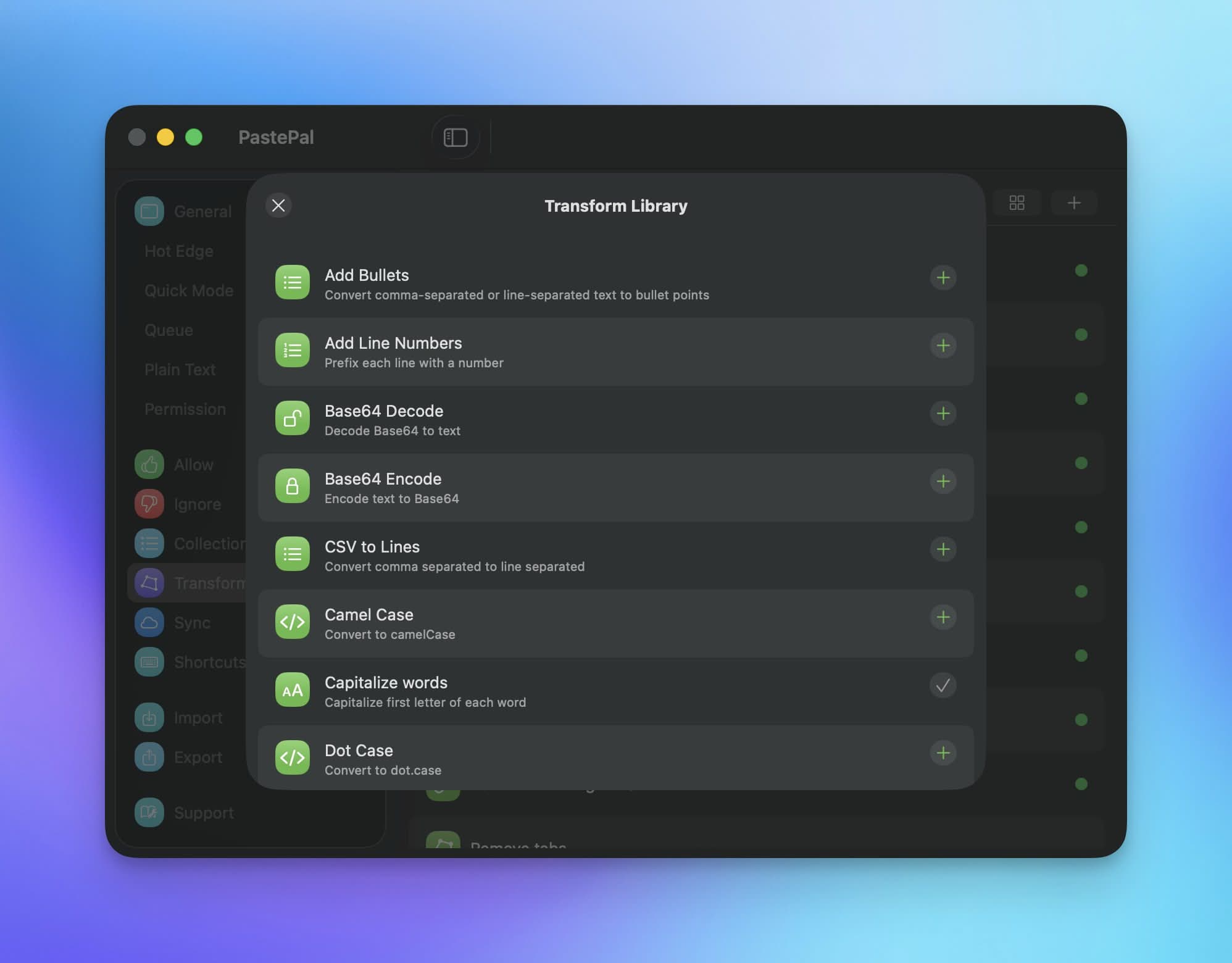
Transform Library Update
Updated transform library with new functions.
Rich Text Preview Toggle
Added option to toggle rich text preview in clip card.
Collection Items Toggle
Added option to toggle collection items in recent view.
iPad Paste Support
Improved paste action to iPad apps on Mac.
Clear System Clipboard
Added option to clear System clipboard, available in status menu icon actions and side window gear menu.
Media Playback Fix
Fixed to properly pause media playback when dismissing preview for link.
Mac 2.19.4
Redesigned Clip Card
Updated the clip card design for improved clarity and usability.
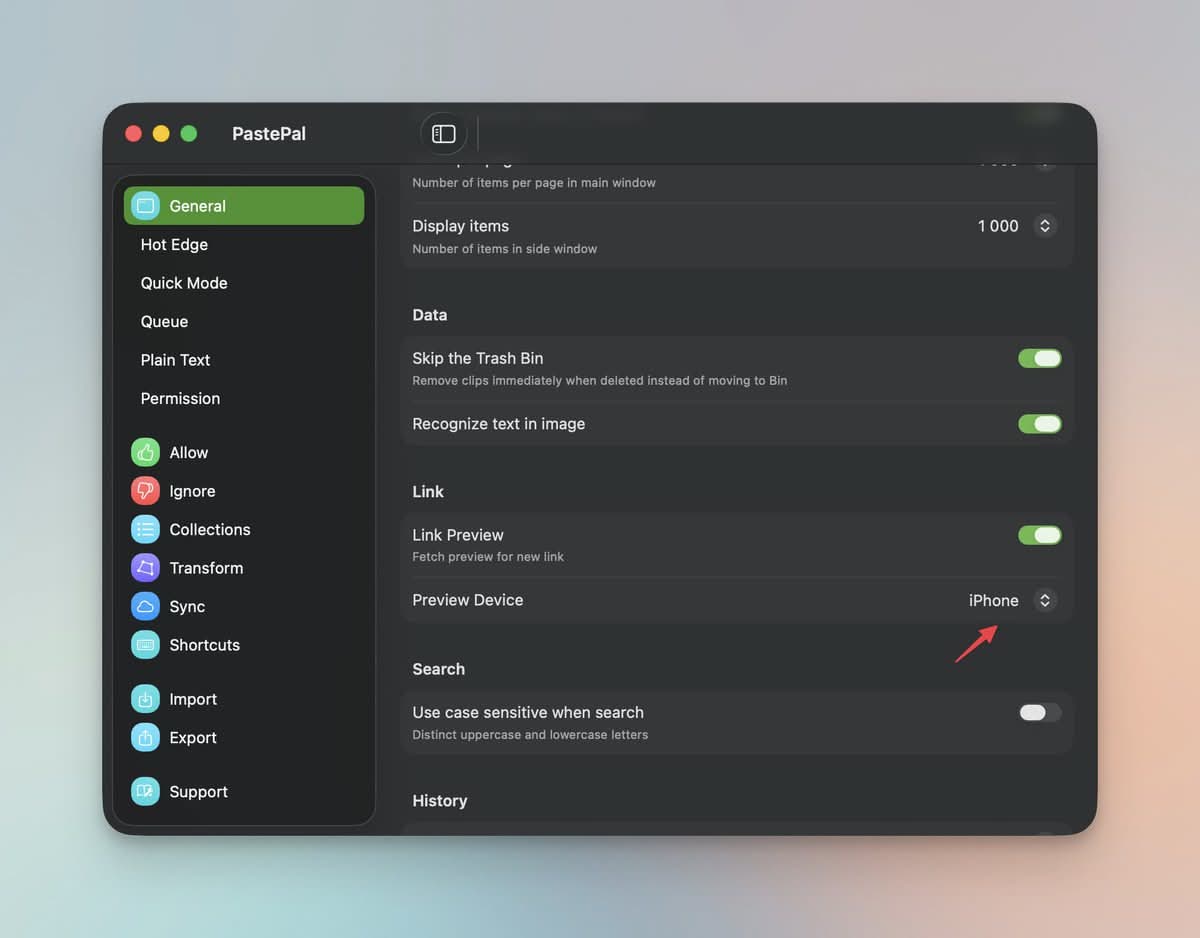
Preview Device Option
Added a Preview Device option in Settings to customize the link preview window.
Color Strip Toggle
Added a Show Color Strip toggle in Settings to display a color strip on clip cards.
Window Focus Improvements
Improved window focus behavior for a smoother experience.
Mac 2.19.3
Glass Effect for Side Window
Introduced beautiful glass effect for side window that blends seamlessly with your desktop.
UI Visual Improvements
Enhanced UI visuals across the app for a more polished look.
Peer Share Enhancements
Improved Peer Share feature for better content sharing between devices.
Rich Text Recognition
Improved content recognition in rich text and handling of flat rich text format.
Edit Flow Improvements
Enhanced edit flow for better user experience.
iPhone & iPad 2.14.8
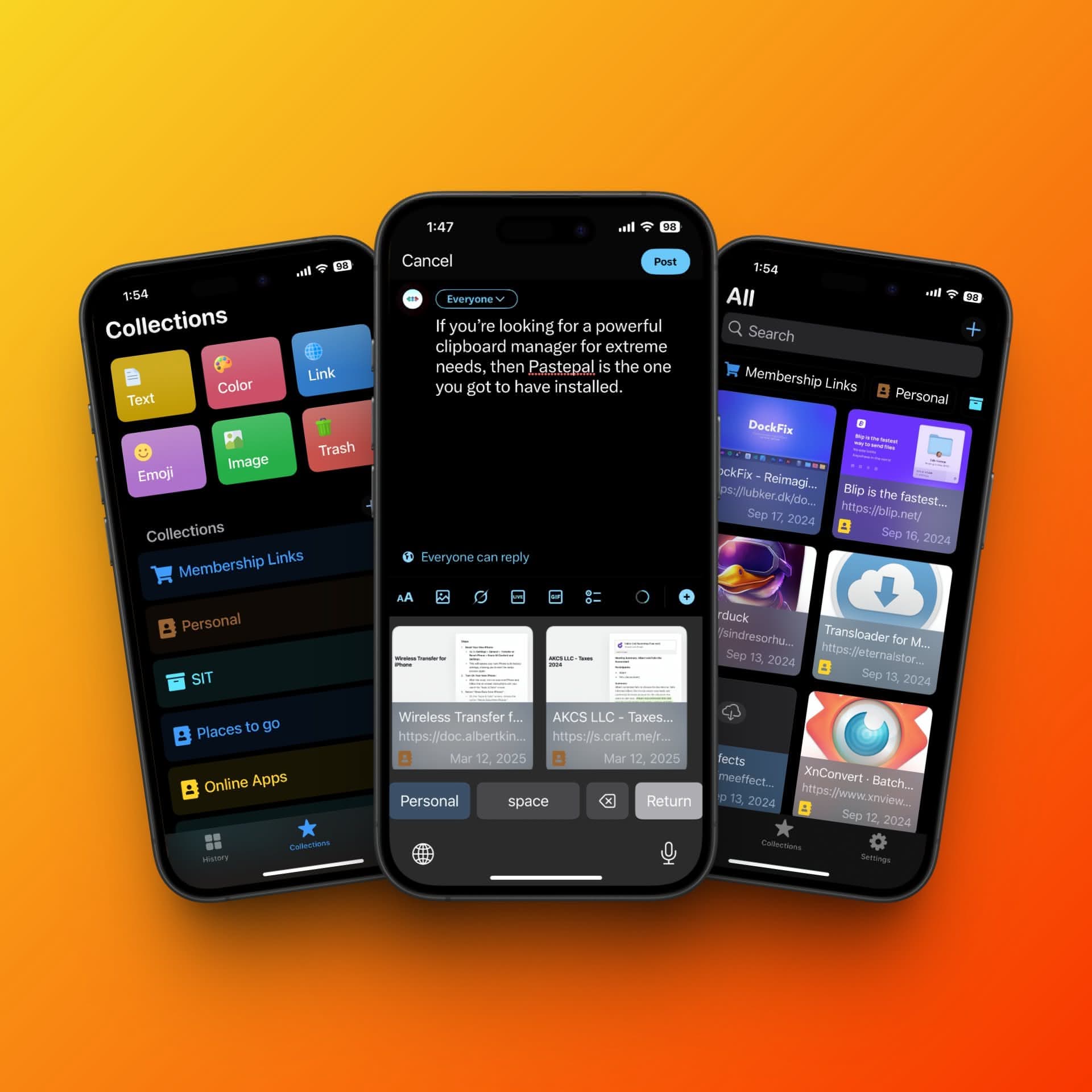
iMessage Extension
Access your clipboard history directly from iMessage. Send clips to friends and family with ease.
Transform Playground
New Transform playground tab with over 50 transform functions to experiment with.
Email Detection
Improved email detection for better recognition.
URL Tracking Removal
Improved Remove tracking parameters in URL transforms.
Link Preview Improvements
Enhanced link preview with better visuals.
iPhone & iPad 2.14.7
App Shortcut Actions
Added app shortcut with actions to easily save new content.
Keyboard Key Layout
Improved keyboard key layout with symbols for better usability.
iPhone & iPad 2.14.6
Picture in Picture Mode
Improved picture in picture mode for background monitoring.
Image Placeholder
Added image placeholder for content synced from other devices.
List Loading Improvements
Enhanced list loading performance.
iPhone & iPad 2.14.5
Share Sheet Collection
Improved creation of new collection in share sheet.
Copy Paste Performance
Enhanced copy and paste performance for faster operations.
iPhone & iPad 2.14.4
Email Render Improvements
Improved email render for better display.
Transform Library Visuals
Enhanced transform library with improved visuals.
Preference Settings
Improved preference settings for better customization.
iPhone & iPad 2.14.3
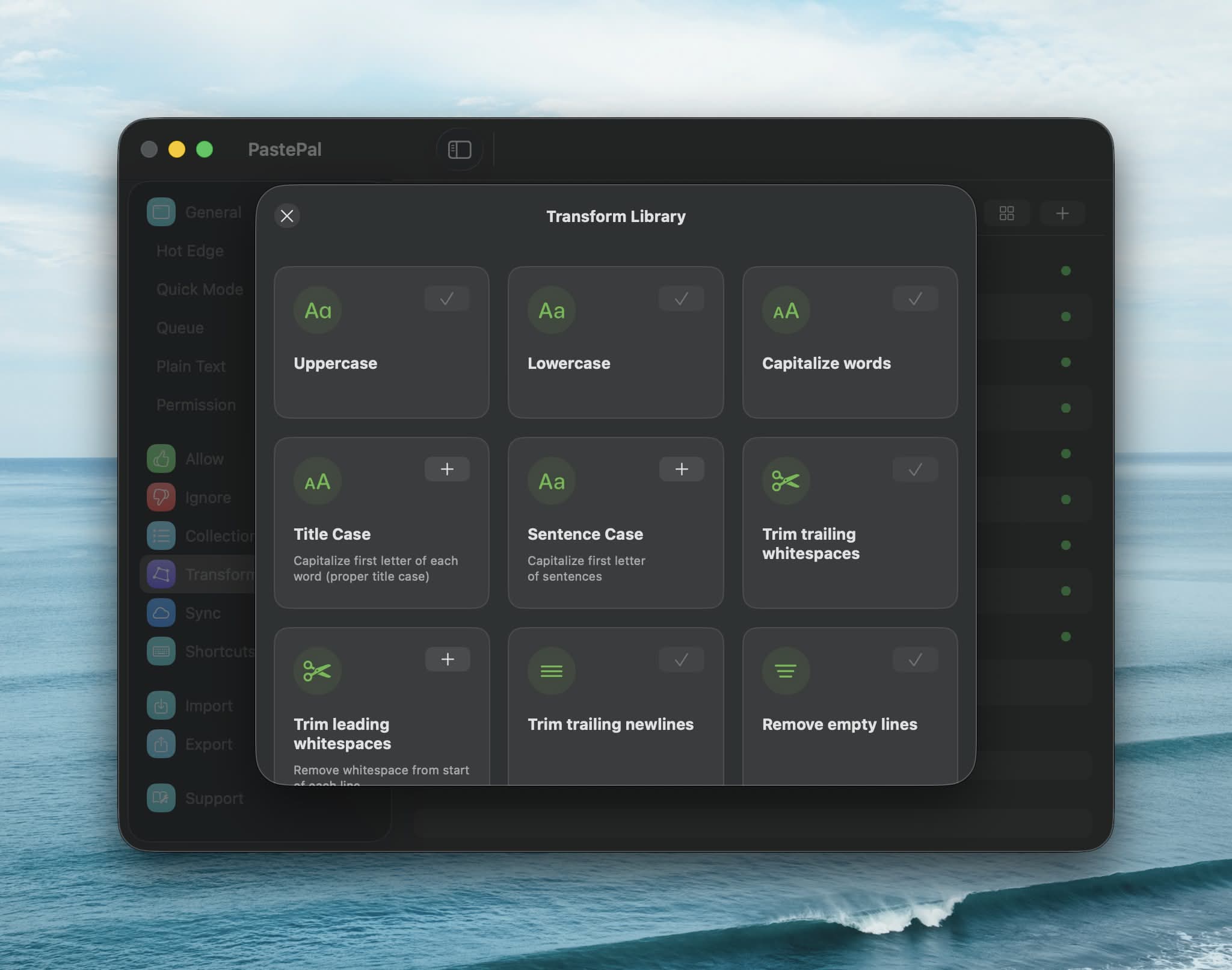
Transform Library
Added transform library, a growing list of helpful transform functions.
iCloud Sync Toggle
Updated iCloud sync toggle for better control.
Peer Share Performance
Improved Peer Share performance for faster sharing.
Share Sheet Recognition
Enhanced share sheet recognition.
Mac 2.19.2
Side Window at Launch
Improved logic to show side window at launch.
French Translations
Updated French translations.
Collections and Transform Reorder
Updated collections and transform reorder capabilities.
Status Menu Bar Rendering
Improved status menu bar rendering.
Shutter Sound Update
Updated shutter sound effect.
Mac 2.19.1
Liquid Glass Design
Support for new liquid glass design that beautifully integrates with macOS aesthetics.
Side Window Logic
Improved side hide window logic after copy and paste toggles.
Transform and Collection Settings
Updated transform and collection settings list interface.
French Localization
Updated French localization. Special thanks to Ange Lefrère for the translations.
iPhone & iPad 2.14.2
Keyboard Extension
Improved keyboard extension with better performance.
Toast Messages
Improved toast messages for more actions.
iPhone & iPad 2.14.1
Slide Over Mode
Improved layout for Slide Over mode on iPad.
Landscape Keyboard
Improved keyboard layout for landscape mode on iPhone.
iCloud Sync Status
Improved iCloud Sync status check.
iPhone & iPad 2.14.0
Liquid Glass Interface
Support liquid glass interface for a modern look.
Share Sheet Improvements
Improved share sheet for better integration.
Multiple Selection
Improved multiple selection interactions.
Link Rendering
Enhanced link rendering for better display.
iPhone & iPad 2.13.3
Split View Mode
Improved split view mode on iPad.
Background Monitor Shortcut
Added Background Monitor shortcut to start background monitor mode.