 Inbox
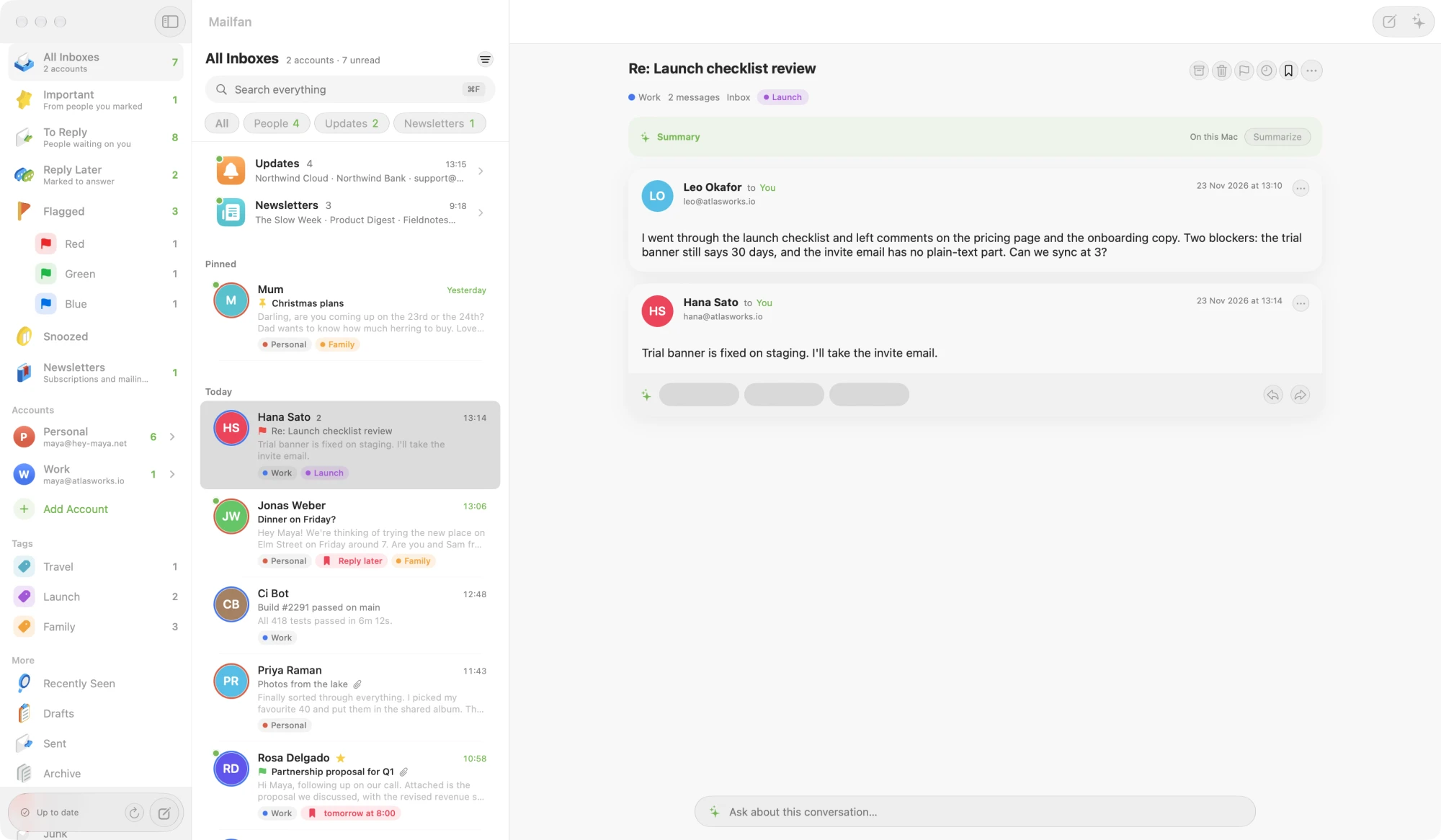
All your mail, one inbox
Add Gmail, iCloud, Yahoo, Fastmail or any IMAP, POP3 or JMAP server. Mailfan detects the settings and keeps every account side by side.
Smart mailboxes
Important, To Reply, Reply Later, Snoozed, Flagged and Newsletters collect what matters across accounts.
Real conversations
Messages are grouped into threads across folders, even on servers that don't send reply headers.


 Assistant
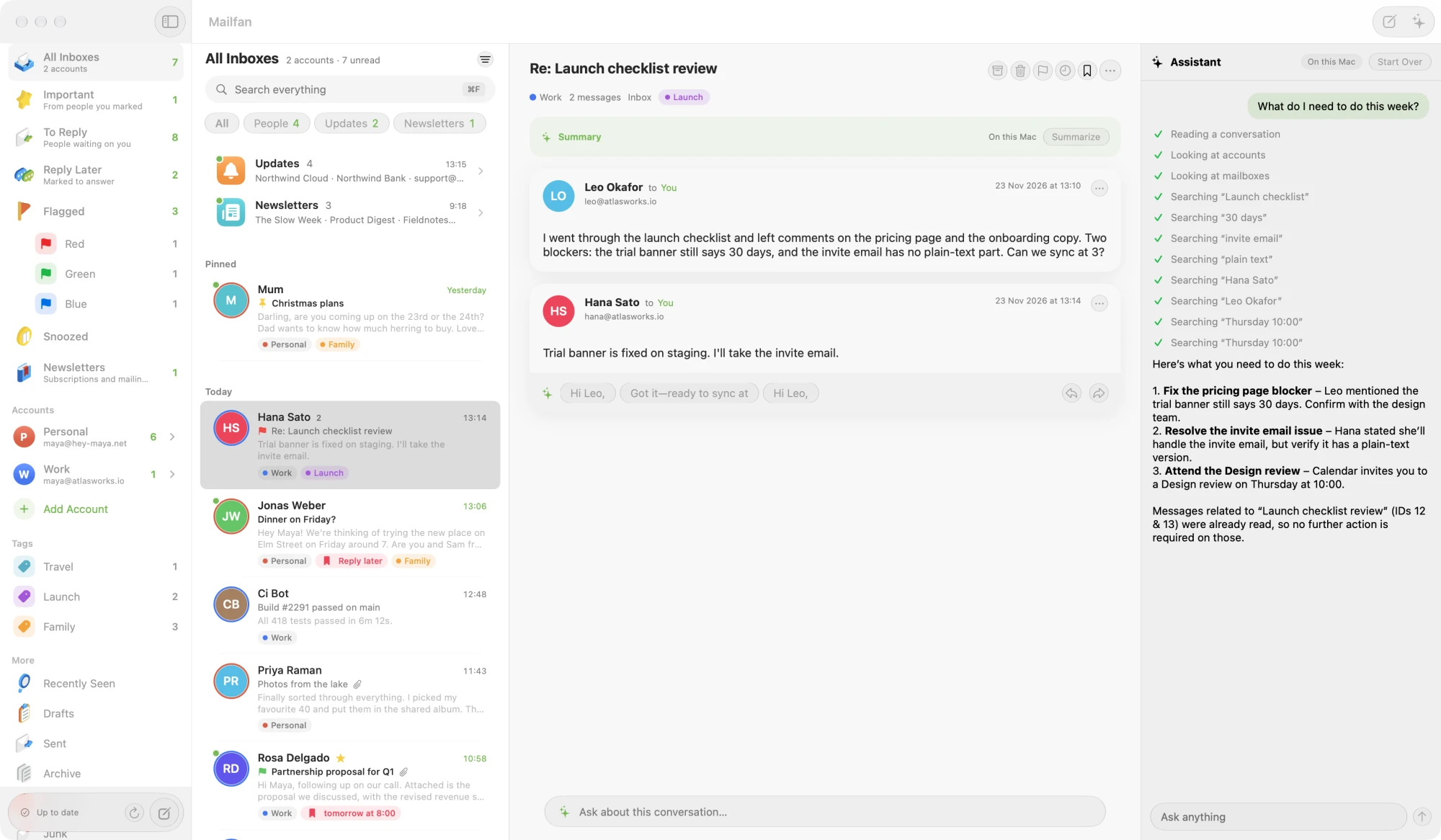
Ask your inbox, on your Mac
Summaries, reply drafts, rewrites and quick replies. Ask what you need to do this week and the assistant looks through your mail to answer.
Private by default
Apple Intelligence, Ollama and LM Studio run on your Mac. Cloud providers ask before anything is sent.
Your provider, your key
Use OpenAI, Anthropic, OpenRouter or any OpenAI-compatible server with your own key.


 Focus
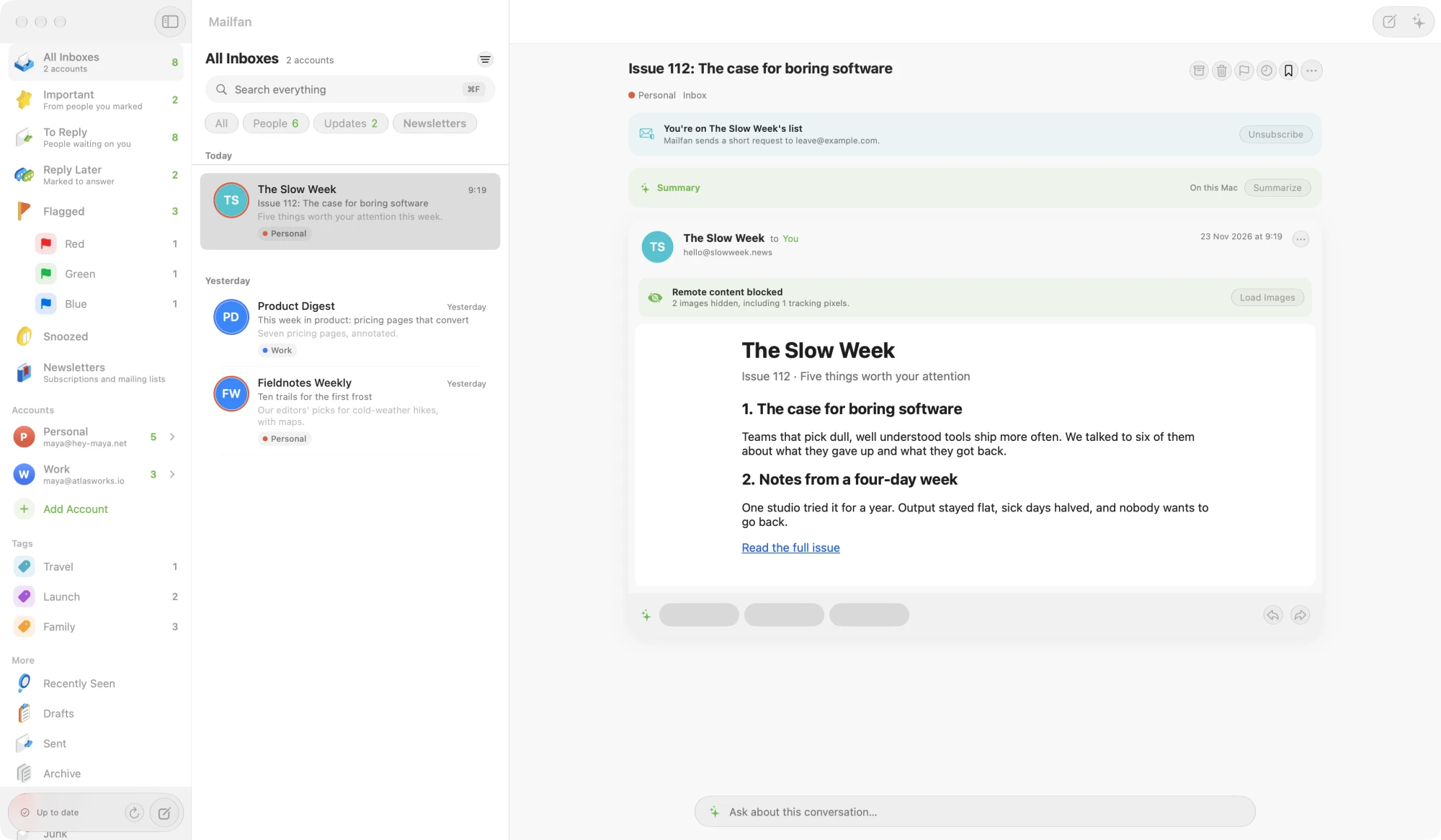
People first, the rest folded away
The inbox splits into People, Updates and Newsletters, and updates and newsletters fold into one row each. Rules sort new mail as it arrives.
Rules
Archive, flag, tag or move new mail automatically.
Calm notifications
Mark a sender important to always hear from them, and mute noisy threads.


 Keyboard
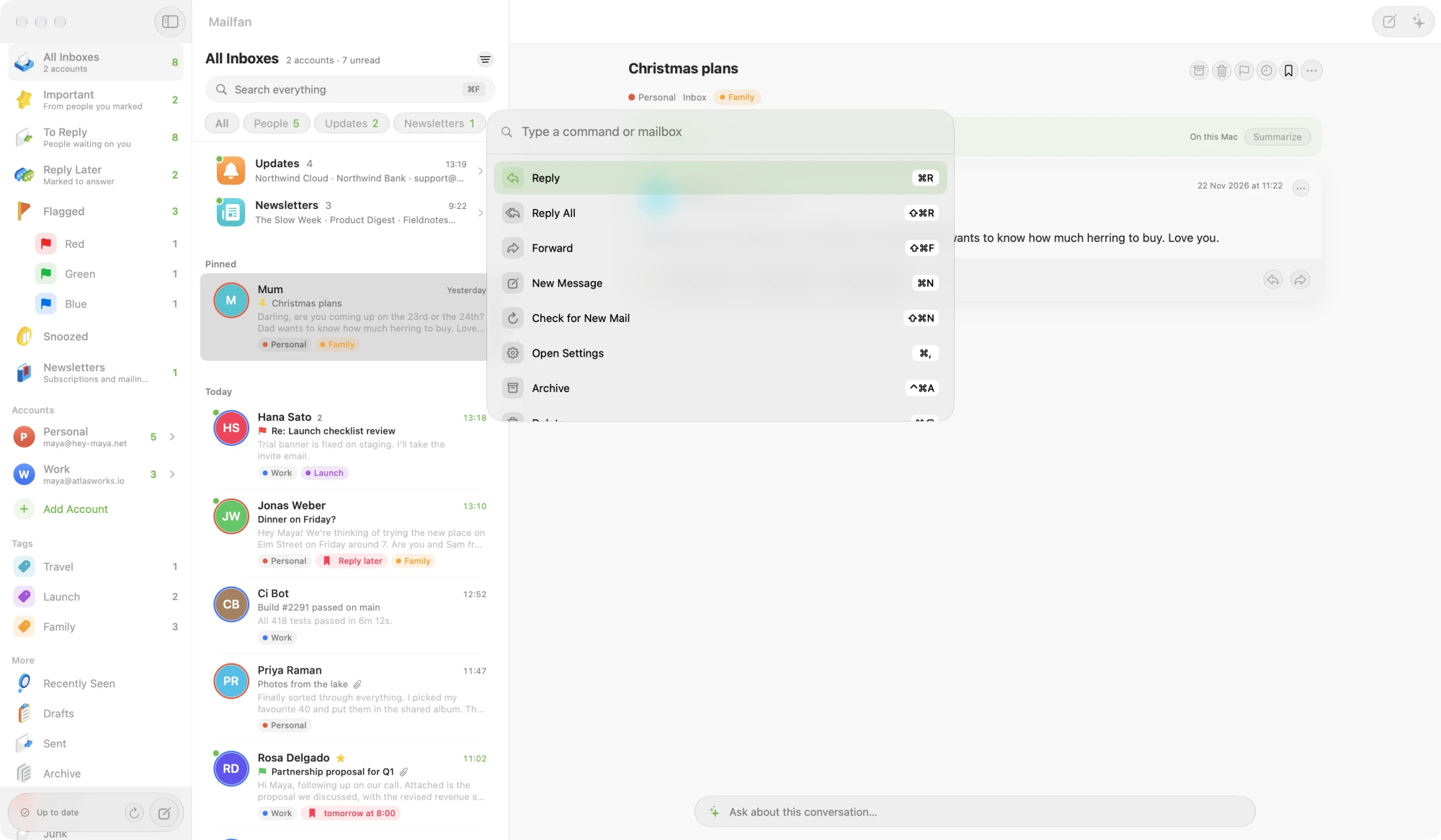
Every command, one keystroke away
Archive, snooze, pin, flag and reply without touching the mouse. Press ⌘K for a command palette with every shortcut, and undo anything with ⌘Z.
Single-key mode
Switch to single-key shortcuts for inbox-zero speed.
Send later and undo send
Schedule a message for the right moment, or take it back right after you send it.



Agents Through MCP
Let Claude, Cursor and other agents search, read and draft mail through Mailfan, with tokens you scope to accounts and read or write

Templates
Reusable replies with fill-in fields like {first name} or your own questions

Reply Later
Mark a message to answer later with an optional reminder. It leaves the list once you reply

Search Operators
from:, subject:, has:attachment, is:unread, before: and after:, searched on your Mac

Unsubscribe and Block
Leave mailing lists with one click and block senders you never want to see
Stays on Your Mac
Mail is stored on your Mac and passwords in the Keychain. No Mailfan servers, no tracking
Simple pricing
Choose the version that fits how you work.
Mailfan
Try everything for 14 days, then keep using it with one account
- Every feature unlocked for the first 14 days
- One mail account and the full mail app after the trial
- Requires macOS 26 or later
Mailfan Pro
Launch price, one-time purchase. Regular price $59
- Unlimited accounts
- AI assistant, summaries and reply drafts
- Agents through MCP, rules, templates and send later
- Automatic updates via Sparkle
- License key delivered with your Gumroad receipt