Notemall
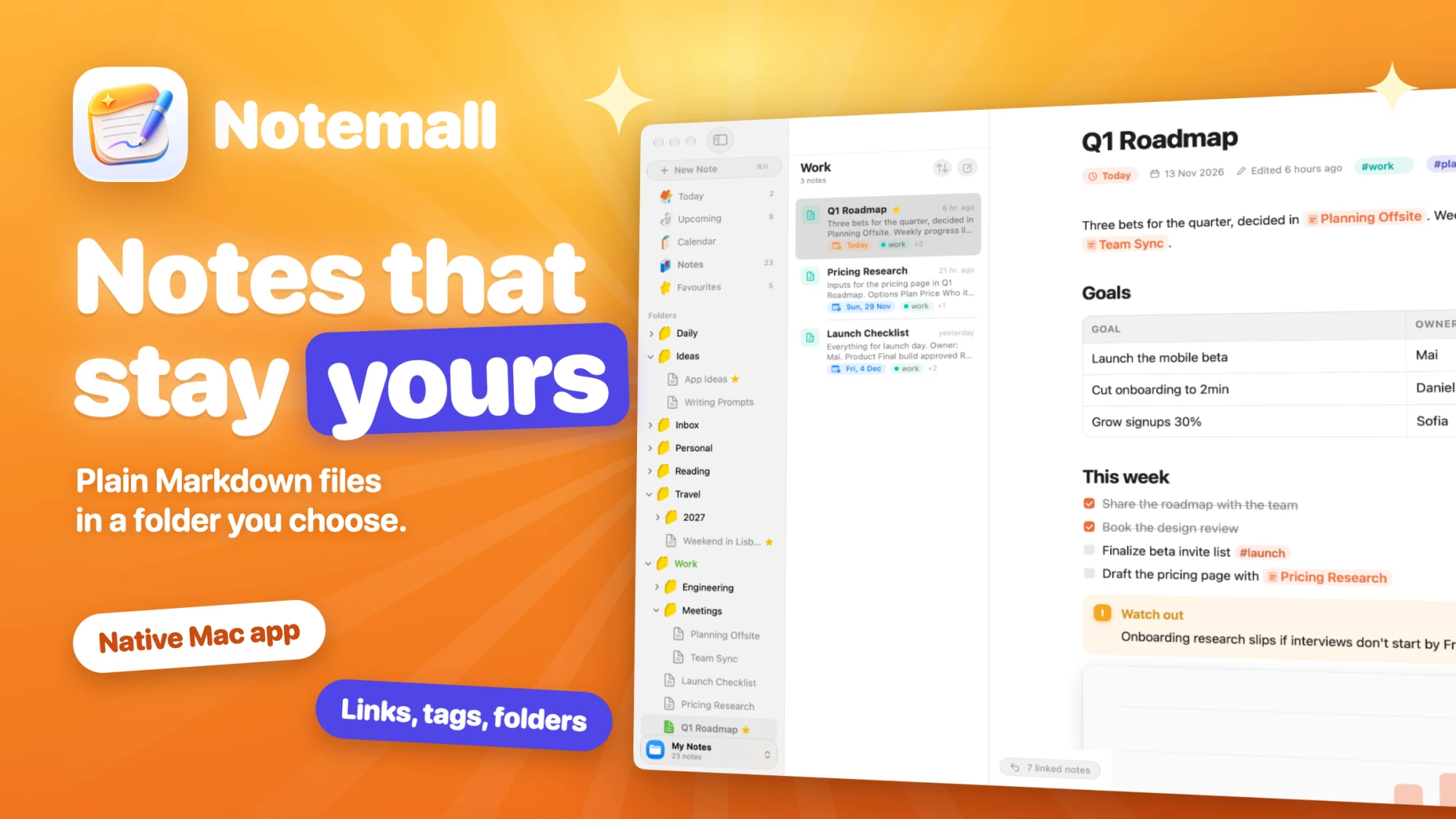
A fast, native notes app for Mac. Write in blocks, link notes together and bring them back on the right day. Every note is a plain Markdown file in a folder you choose.
 Your files
Plain Markdown, in your folder
Notes are .md files in a folder you pick. Keep it in iCloud Drive, Dropbox or Google Drive to sync across your Macs, and open your notes in any editor.
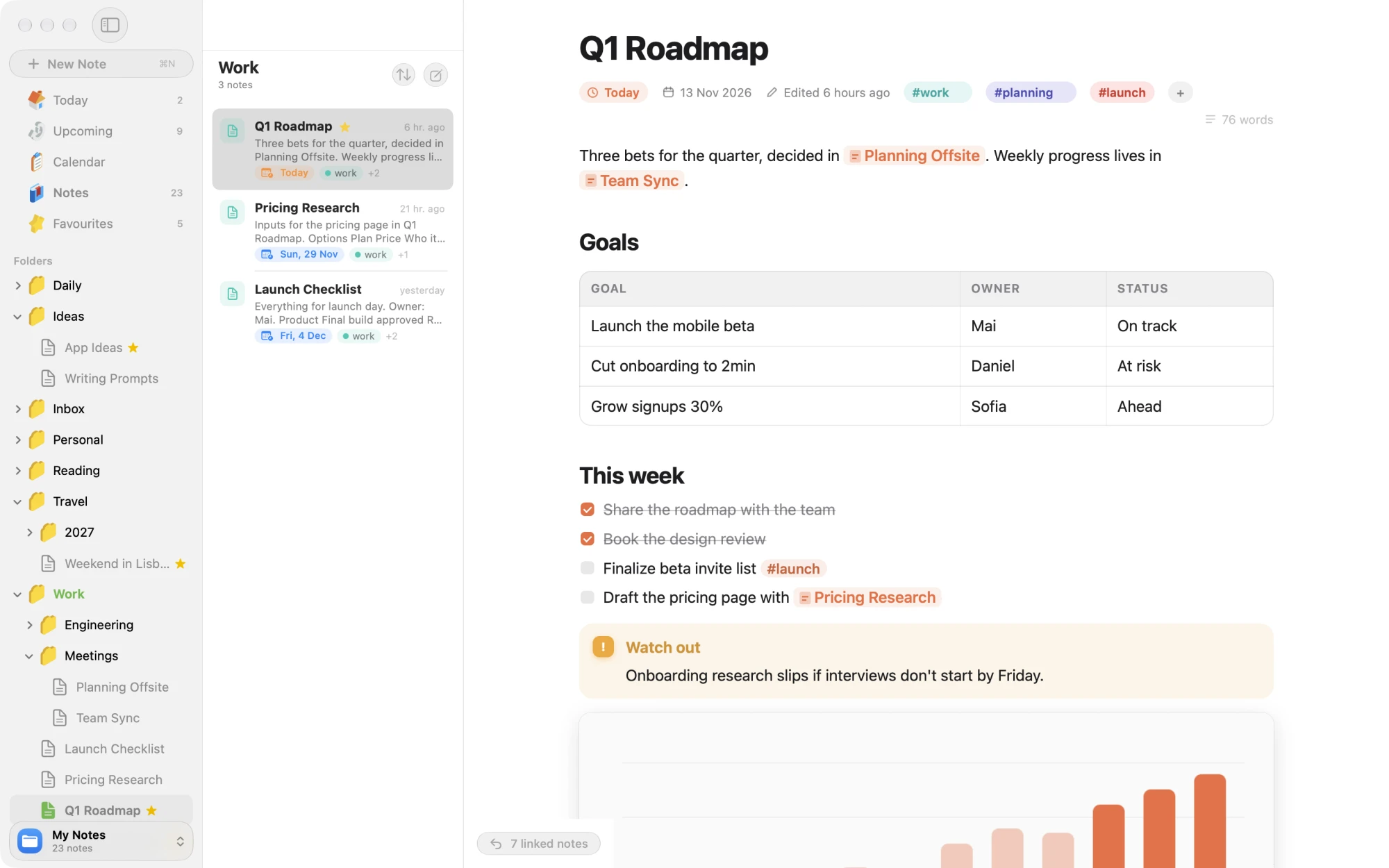
Folders as they are on disk
Nested folders with their notes right in the sidebar. Drag to move, right-click to rename.
Sync your way
No account and no new service. Your cloud folder does the syncing.

 Blocks
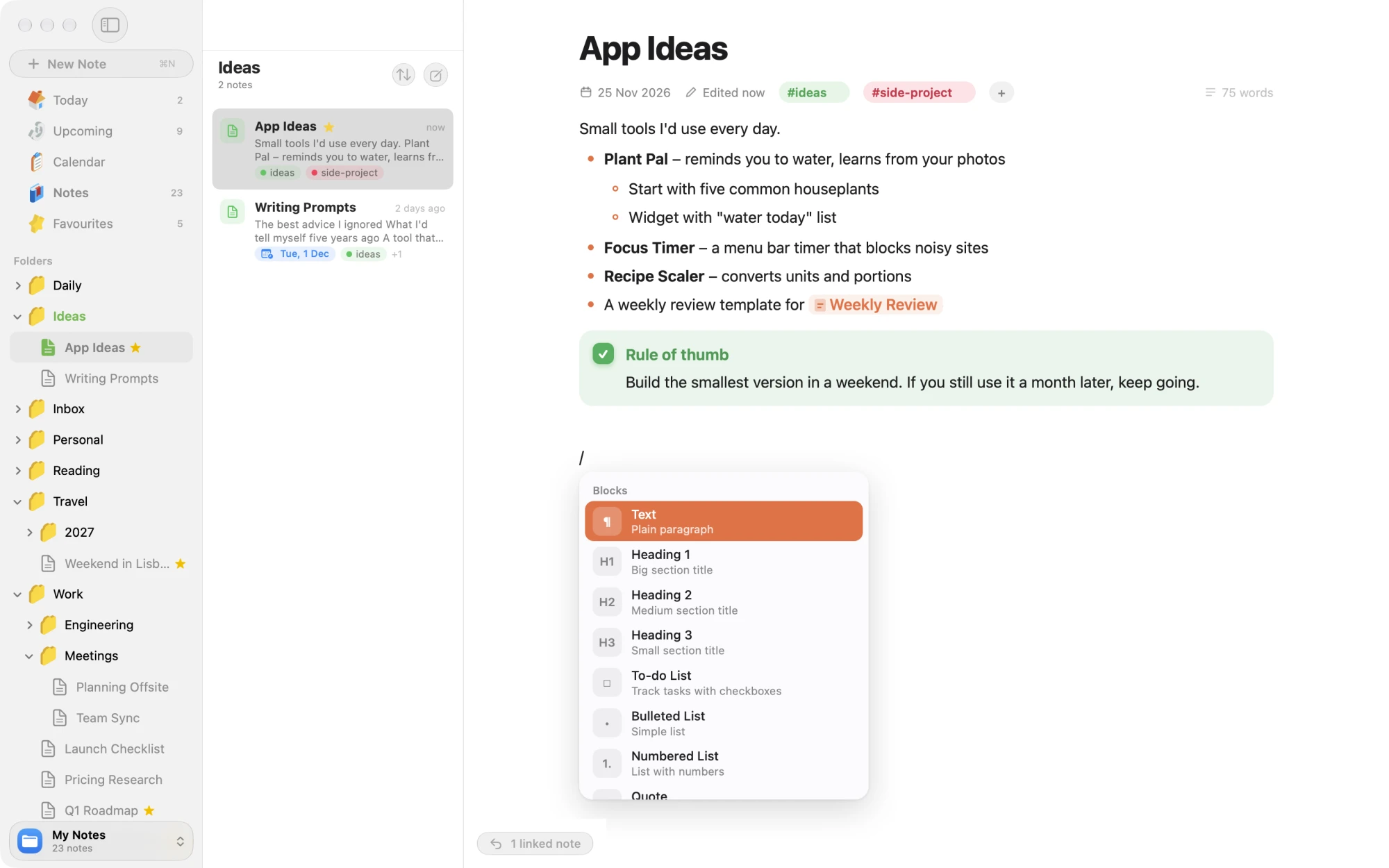
Type / for any block
Headings, to-dos, tables, callouts, code and images are one keystroke away. Select text for a toolbar to format it.
Highlights and tables
Highlight text, add rows and columns from the table toolbar, and move blocks with Option and the arrow keys.
Themes for reading
Paper, Notebook, Journal, Desk, Midnight and more, with a reading font you choose.


 Links
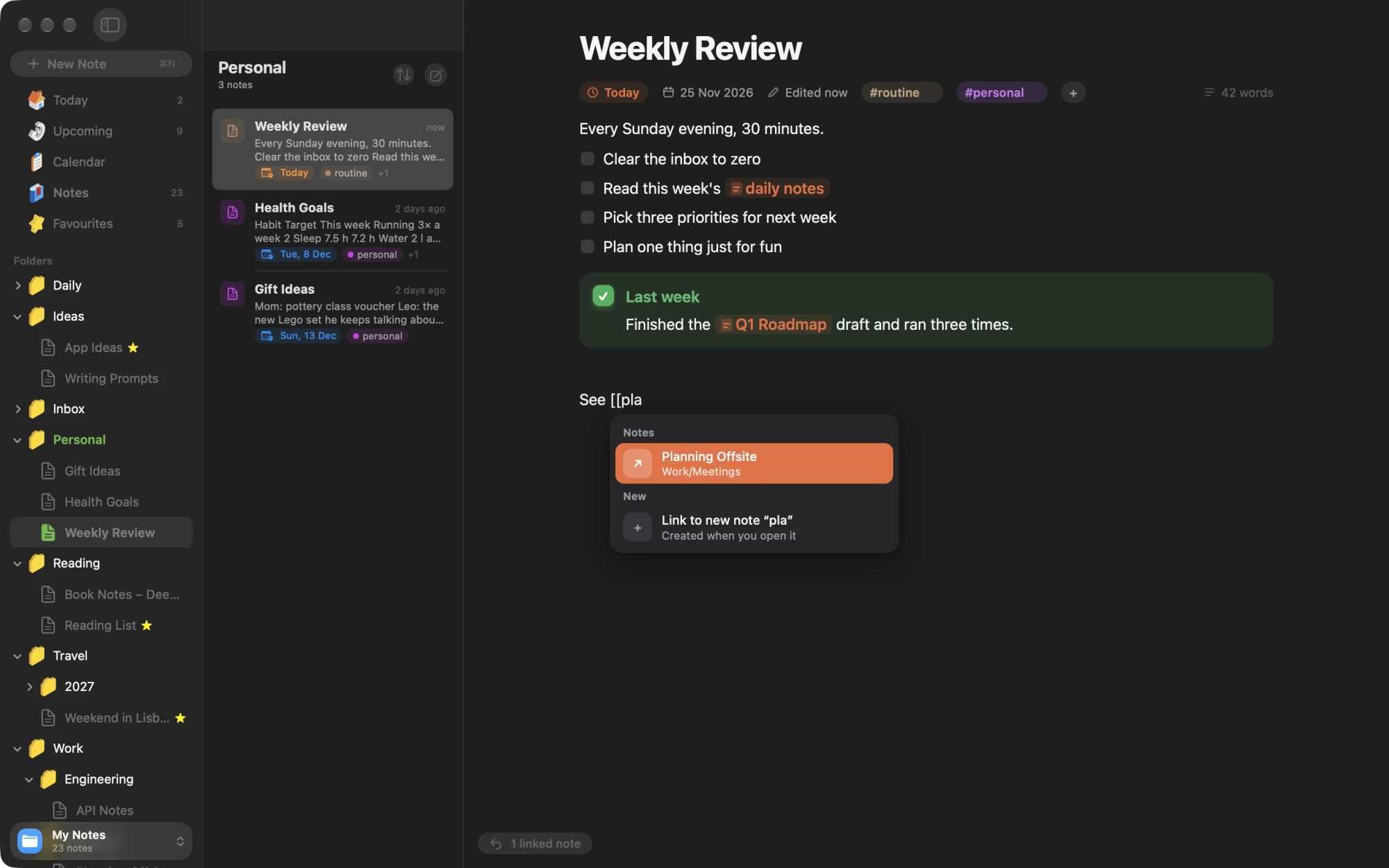
Link notes with [[
Type [[ to link another note, or create it on the spot. Every note shows the notes that link back to it.
Renames keep links working
Rename a note and every link to it follows.
Tags as you go
Add tags from the note header with your existing tags suggested.

 Come back later
Bring notes back on the right day
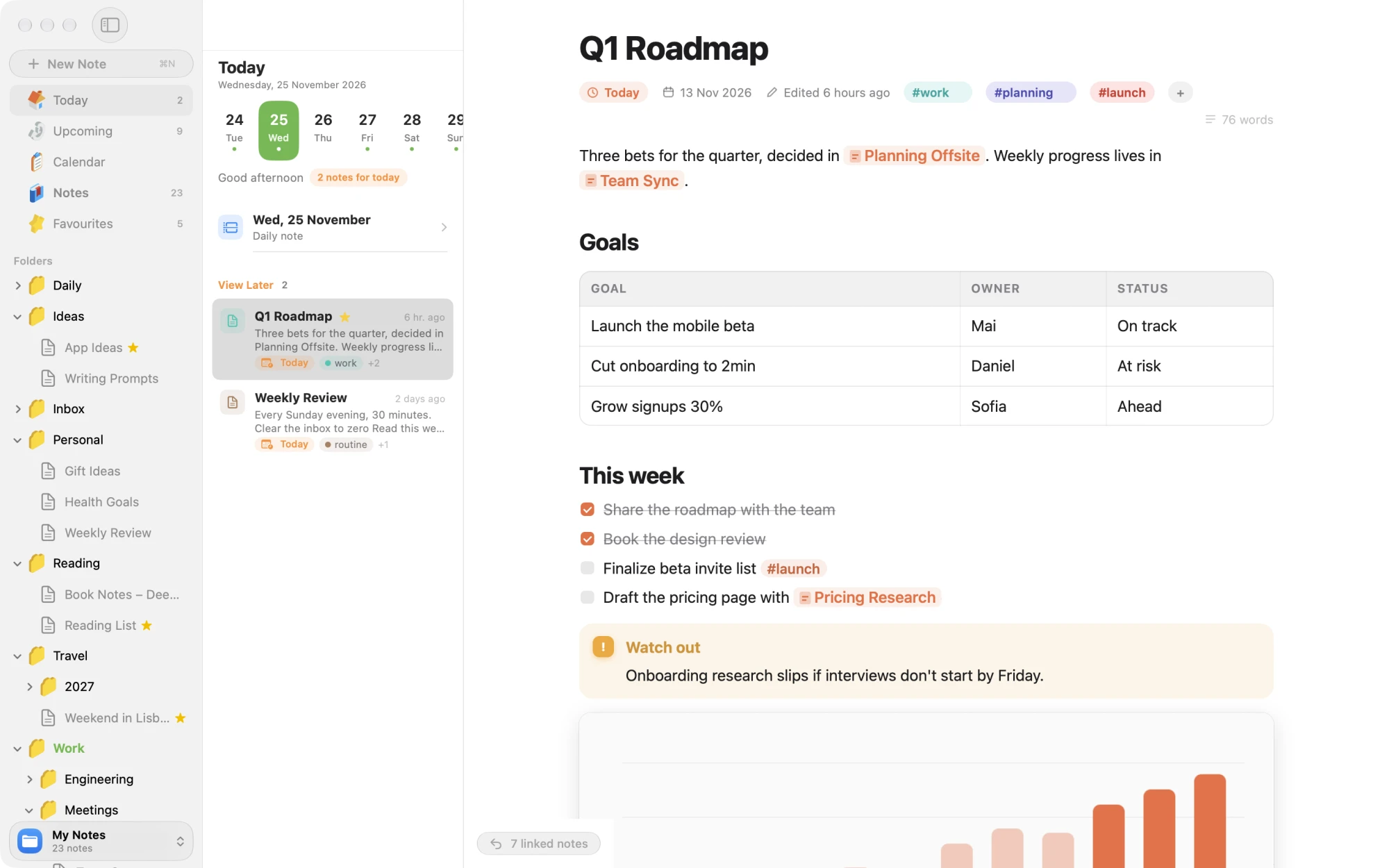
Pick a day for a note and it shows up in Today when that day comes. See what's ahead in Upcoming, browse by date in the calendar and keep a daily note.
Today and Upcoming
Notes you scheduled come back on their day, with overdue ones on top.
Daily notes
One note per day in a Daily folder, a keystroke away.

Small things that add up

Search or create
Press Command K to find any note or start a new one.

Quick entry
Capture a thought from any app with a keyboard shortcut.
Find in note
Every match marked, with Command G to step through them.

Back and Forward
Jump between notes, or pick one from Recently Viewed.

Ask your notes
The assistant searches and reads your notes, on your Mac with Apple Intelligence.

Connect assistants
A local MCP server lets Claude and other assistants read your notes. Changes are off until you allow them.

Several vaults
Switch between note folders from the bottom of the sidebar.

Export and print
Save a note as a PDF or print it, without the editing controls.

Light and dark
A native Mac app that follows your appearance, or picks one with its theme.
Questions
In the folder you choose, as Markdown files. Notemall keeps its search index on your Mac, outside that folder.
Through the folder: put it in iCloud Drive, Dropbox or Google Drive and those apps keep it in sync across your Macs.
Yes. They're plain .md files with standard frontmatter, so any Markdown editor can open them.
A Mac with macOS 26 or later.